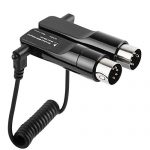
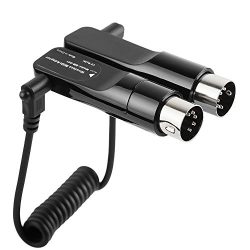
Simple and easy wireless connection of instruments with MIDI IN/OUT terminals to iOS devices and Mac makes it easy to use a wide range of music applications wirelessly for even more enjoyable performing and composing
Product Features
Wirelessly connect your iOS devices (iPhone/iPad/iPod touch) to your instrument
Use music apps without cables and enjoy the freedom that wireless technology brings to your performances
Simple and easy wireless connection of instruments with a 5-PIN DIN MIDI connection terminal to iOS devices and Mac
Avoid having to reconnect every time you play
Charge your iOS devices (iPhone/iPad/iPod touch) while using apps and not worry about the battery running out
Works Great, With One Caveat for Apple Users. I bought this for use with my Yamaha CLP-585 and third-party midi apps. It appears to have very low latency and midi notes are recognized immediately by all the apps I’ve used on my iPad.There is one slight little hitch when used with my iPhone and iPad however; it’s not immediately recognized as a bluetooth device by the iPhone and iPad (in Bluetooth Settings), nor by some of the apps I want to use it with. What this means is that it’s necessary to connect to the MD-BT01 via…
Read this – instructions on connecting Iâm removing one star because the documentation for connecting to iOS is not really accurate. You need to download a midi controller app from the App Store – for example the âYamaha digital piano controllerâ app and use that app to connect the Bluetooth. The device will not be discoverable in standard Bluetooth settings on your iOS device. For what itâs worth, you need to go to settings, information within the Yamaha app mentioned above to connect a Bluetooth midi device.Once…
SinLoon 13inch MIDI CABLE,5-Pin Din Male to Monoprice 6.35mm (1/4 Inch) Female TRS Stereo Audio Cable for Compatible MIDI keyboard (synthesizer, organ, electric piano, MIDI guitar,etc(6.35 F-DIN 5P M)
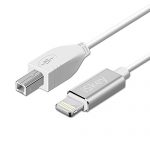
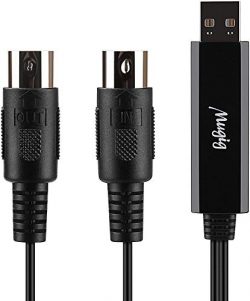
Ancable 3-Feet USB B MIDI Cable for Instruments, Compatible with Piano, Midi Controller, Midi Keyboard, Audio Interface Recording, USB Microphone and More
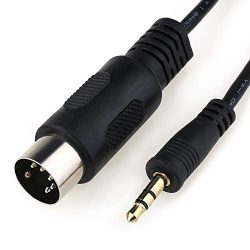
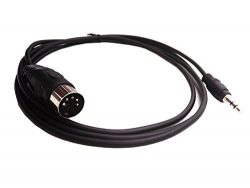
MOBOREST 3.5mm(1/8inch) TRS to 5-Pin DIN MIDI Cable Adapter connect an Speaker, Amplifier, Mixer to MIDI keyboard, Synthesizer, Guitar and other European type stereo equipment with Din 5 connector.
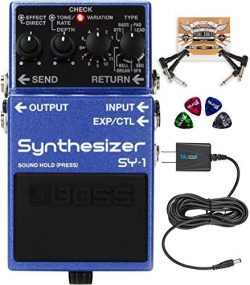
BOSS SY-1 Polyphonic Synthesizer Effects Pedal Bundle with Blucoil Slim 9V 670ma Power Supply AC Adapter, 2-Pack of Pedal Patch Cables, and 4-Pack of Celluloid Guitar Picks
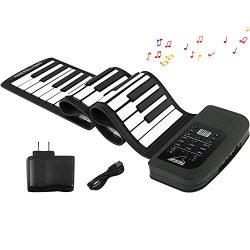
Roll Up Piano Keyboard, KONIX 61 Keys Electric Piano Keyboard – Support MIDI Out Portable Flexible Digital Electronic Music Keyboard Piano for Kids Beginner,Build-in Speaker
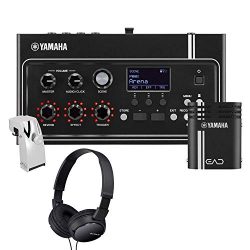
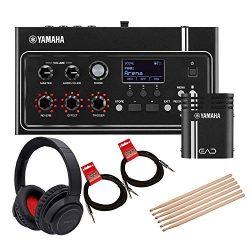
Yamaha EAD10 Electronic Acoustic Drum Module Bundled with 1 x Bluetooth Noise Cancelling Headphones, 2 x 10ft Instrument Cables and 3 x Pairs of Drumsticks
5-Pin DIN-Male Cable, 5 Pin Din to 3.5mm(1/8in) TRS Stereo Male Jack Stereo Audio Cable forB & O System Playing The Electronic Musical Instrument Signal Output 1.5m (5 feet,3.5M-5 DIN M)
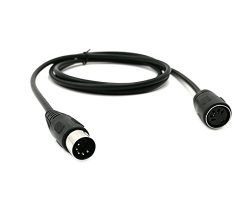
SinLoon 59inch MIDI Din Extension Cable,MIDI 5-Pin DIN Male to Female Audio MIDI/at Adapter Cable for MIDI Keyboard (Synthesizer, Organ, Electric Piano, MIDI Guitar (D5P M-F,1.5meter)


 Loading...





Works Great, With One Caveat for Apple Users. I bought this for use with my Yamaha CLP-585 and third-party midi apps. It appears to have very low latency and midi notes are recognized immediately by all the apps I’ve used on my iPad.There is one slight little hitch when used with my iPhone and iPad however; it’s not immediately recognized as a bluetooth device by the iPhone and iPad (in Bluetooth Settings), nor by some of the apps I want to use it with. What this means is that it’s necessary to connect to the MD-BT01 via…
Read this – instructions on connecting Iâm removing one star because the documentation for connecting to iOS is not really accurate. You need to download a midi controller app from the App Store – for example the âYamaha digital piano controllerâ app and use that app to connect the Bluetooth. The device will not be discoverable in standard Bluetooth settings on your iOS device. For what itâs worth, you need to go to settings, information within the Yamaha app mentioned above to connect a Bluetooth midi device.Once…